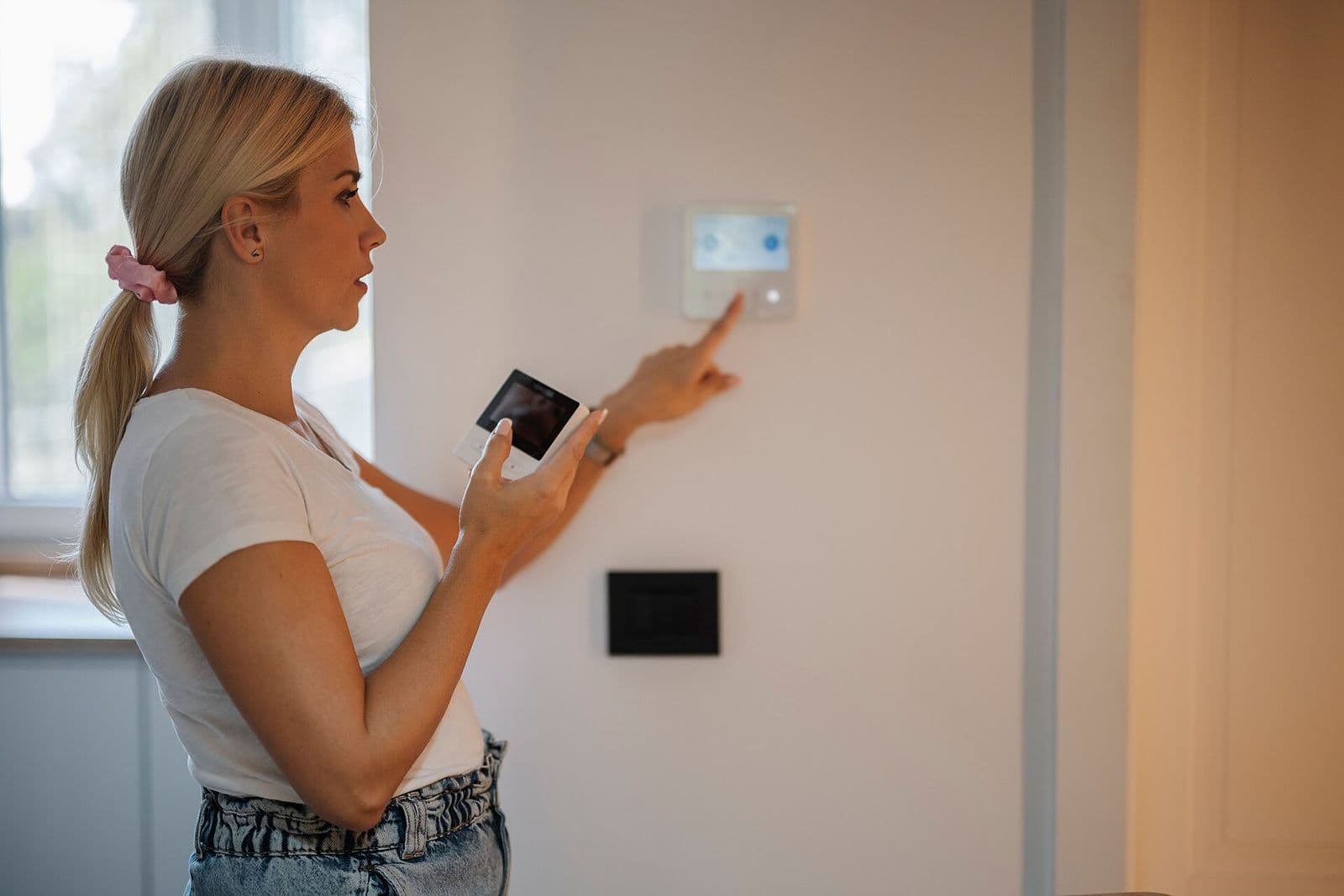
A smart thermostat only controls well when it is configured for the system behind the wall. Set a heat pump thermostat to conventional and auxiliary heat runs wrong; set staging wrong on a two-stage system and the second stage never fires on a 103°F afternoon. The common problems are covered in thermostat not working, and most trace back to wiring or configuration, not the device itself.
Installation starts at the air handler, not the wall: the technician confirms wire count, C-wire presence, and control board terminals, then matches the new thermostat's settings to furnace, heat pump, or dual-fuel equipment. The thermostat also has to suit any HVAC zoning systems panel in the home. Paired with seasonal AC maintenance, correct control keeps the equipment cycling as it was designed to.
Smart Thermostat Installation at a glance
- Service
- Smart Thermostat Installation
- Service area
- Dallas-Fort Worth, TX metro (18 towns)
- Permits
- Handled by the HVAC technician
- Pricing
- You approve the price first
Signs
Signs you need smart thermostat installation
Old thermostat is inaccurate or failing
A thermostat that reads several degrees off, loses its program, or needs a tap to start the system is at the end of its life. Temperature control starts at that sensor.
No C-wire at the current thermostat
Many DFW homes were wired without a common wire, which smart thermostats need for steady power. Battery workarounds cause the blank-screen and Wi-Fi dropouts people blame on the thermostat.
Two-stage or variable-speed equipment on a basic thermostat
Advanced equipment controlled by a single-stage thermostat never uses its staging. The comfort and efficiency bought with the equipment are left on the table.
You want scheduling and remote control
Work schedules, travel, and rental oversight all benefit from app control and alerts — for example, a warning when indoor temperature climbs because the AC has failed.
System short cycles or runs past the set point
Wrong cycle-rate settings, a thermostat in a sun-struck hallway, or heat anticipator problems on old models cause overshoot and short runs that configuration or relocation fixes.
Process
What the HVAC technician does
- 1
Step 1 — Equipment and wiring compatibility check
The technician identifies the equipment type and stages at the air handler, counts thermostat wires, and confirms C-wire presence and control board terminals.
- 2
Step 2 — C-wire solution if needed
An unused spare wire is landed as the common, a new wire is run where accessible, or a listed adapter is fitted at the board — in that order of preference.
- 3
Step 3 — Thermostat mounting and configuration
Power is cut, the old thermostat is removed, and the new one is wired and configured: system type, stages, reversing valve orientation on heat pumps, and cycle settings.
- 4
Step 4 — Full call testing and app setup
Cooling, heating, auxiliary heat, and fan are each called and verified at the equipment, then Wi-Fi and the app are set up and a test alert is confirmed.
Pricing
What affects the cost
Every home is different, so we don't publish prices — these are the factors the HVAC technician weighs when pricing the work.
C-wire work required
Landing a spare wire is quick. Running a new thermostat cable through finished walls or an attic adds labor that varies with access.
Equipment complexity
Single-stage systems configure simply. Two-stage, variable-speed, heat pump, and dual-fuel systems each need more setup and verification.
Zoning panel compatibility
Thermostats on a zoned system must suit the zone panel, and some panels need their own settings or an upgrade to accept smart thermostats per zone.
Remote sensors added
Extra room sensors for a hot primary suite or upstairs landing add devices and placement work beyond the main thermostat.
Thermostat relocation
Moving a thermostat off a sunlit or drafty wall to a representative location involves wiring extension and wall patching at the old spot.
DIY
What you can do — and what to leave alone
Safe for homeowners
- Check your equipment type — gas furnace, heat pump, or electric air handler — before choosing a thermostat model.
- Photograph the existing thermostat wiring before the visit and note any letters on the terminals.
- Decide which rooms matter most for temperature sensing; that decides whether remote sensors belong in the plan.
Stop — call an HVAC technician
- Never trust wire colors alone — colors are not standardized to function, and a mislanded wire can blow the control board fuse or damage the board.
- Never wire a thermostat with power on; the 24-volt circuit still shorts boards and transformers.
- Never configure a heat pump system as conventional — auxiliary and reversing valve behavior will be wrong in heating season.
- Never connect a C-wire to a terminal you have not verified at the control board.
- Never discard the old thermostat until the new one has passed a full heating and cooling call test.
FAQ
Smart Thermostat Installation: common questions
Do I need a C-wire for a smart thermostat?
Most smart thermostats need a common wire for continuous power. If your wiring lacks one, the technician lands a spare wire, runs a new cable, or fits a listed adapter at the control board — battery-only operation is the unreliable option, not the plan.
Will a smart thermostat work with my heat pump?
Yes, when the model supports heat pumps and is configured for one — reversing valve orientation and auxiliary heat settings are part of installation. A heat pump configured as a conventional system heats badly and can run auxiliary heat when it should not.
Why did my thermostat screen go blank after installation?
A blank screen usually means lost 24-volt power — a blown board fuse from a wiring short, a tripped condensate overflow switch, or a C-wire landed on the wrong terminal. The technician traces power at the board rather than replacing the thermostat on guesswork.
Areas
Towns we serve
Related guides
Troubleshooting
Thermostat Not Working? Blank Screen and No Response Fixes
A thermostat that is blank or unresponsive usually lost power from dead batteries, a tripped breaker, or a condensate float switch that cut power to stop a water overflow. Replace batteries and check the breaker and drain pan first. If the screen returns but the system still will not run, call a local HVAC technician in our network.
Heating
Furnace Not Heating? Safe Checks for Texas Homes
A furnace that does not heat is often set wrong at the thermostat, has a clogged filter tripping a limit switch, or lost power or gas supply. Check the thermostat mode, filter, and breaker first. If you smell gas or a carbon monoxide alarm sounds, leave the house and call 911, then Atmos Energy. Do not open furnace panels.
How-To
How to Prepare Your AC for a Texas Summer
Prepare your AC in spring by replacing the filter, clearing debris from the outdoor unit, confirming the condensate drain flows, testing cooling before the first heat wave, and scheduling a tune-up. Catching a weak capacitor, low charge, or clogged drain in April beats an emergency call in July. A local HVAC technician in our network handles the gauge and electrical checks.